 EXCLUSIVE · Built for Clio firms
Built for the People Who Read the Production
A bank production in a divorce, estate or collection matter runs to hundreds of pages of line items. Somewhere in them are the transfers that turned dollars into cryptocurrency, and the names on those lines are rarely the brands anyone knows: PAYWARD is Kraken, FORIS DAX is Crypto.com, ZAP SOLUTIONS is Strike, GEMINI TRUST CO TXFER is Gemini. Miss one and you miss the custodian that holds the account history and the wallet addresses.
The Crypto Activity Screen does that read for the paralegal, legal assistant or researcher who would otherwise do it by hand, and gives the attorney a short list: which services, how much went in and came out, whom to name, and what to ask for. It replaces the line-by-line pass, not the lawyer's judgment.
How It Works
- Connect Clio. One click in Settings, with your own Clio login. The screen sees only the matters and documents your Clio account can see.
- Tick the statements. Pick the matter. The screen lists the matter's PDFs by name, folder, date and size without opening any of them. Files whose names look like statements start ticked; motions, pleadings and letters start unticked. Change the selection as you like. Only the ticked files are read.
- Run the screen. Each ticked statement is read in memory, scanned pages included, and every line is checked against our directory of exchanges, brokers, payment apps, on-ramps and ATM operators. Nothing is written to Clio.
- Review, verify, attach. Findings are grouped by service and marked Confirmed, Likely or Needs confirmation. Each shows the statement lines, the totals sent and received, the entity to name on a request or subpoena, its legal-process page, and request language for the deposit and withdrawal addresses. Download the report or attach it to the matter.

What It Finds
Every line is checked against the directory behind the VASP Directory: the statement descriptors, legal names and payment processors of the services that turn dollars into cryptocurrency and back.
Exchanges
Coinbase, Kraken, Gemini, Binance.US, Crypto.com, Bitstamp and the rest, under the names they actually use on a statement.
Payment apps and brokers that also sell crypto
Cash App, PayPal, Venmo and Robinhood. A transfer to one of these is marked Needs confirmation unless the line itself says crypto, because the app sells other things too.
Card on-ramps
MoonPay and similar processors built into wallet apps. Their records hold the wallet address the crypto was delivered to.
Bitcoin ATM operators
Bitcoin Depot, Athena and other operators, where a card or account funded the purchase.
Recurring purchase plans
The same amount to Strike, Swan or River every week or month: twelve small debits that add up to a year of buying.
The rest of the ecosystem
Hardware wallet vendors, tax software, lenders, custody and retirement-account providers, mining and crypto funds. Each one is a records holder.
The name on the statement is rarely the brand
These are some of the descriptors the screen resolves to a service, and to the entity to name on a request:
Descriptors vary by bank, card network and year, and companies rename their entities. A match is a lead to confirm, not a conclusion.
The Report
A five-page sample, run on test statements from a fictional bank. Page one is the summary and the next step. Each service then gets its own section with the statement lines, the entity to name, its legal-process page and the request language. The last pages list the documents read and how to treat the results.
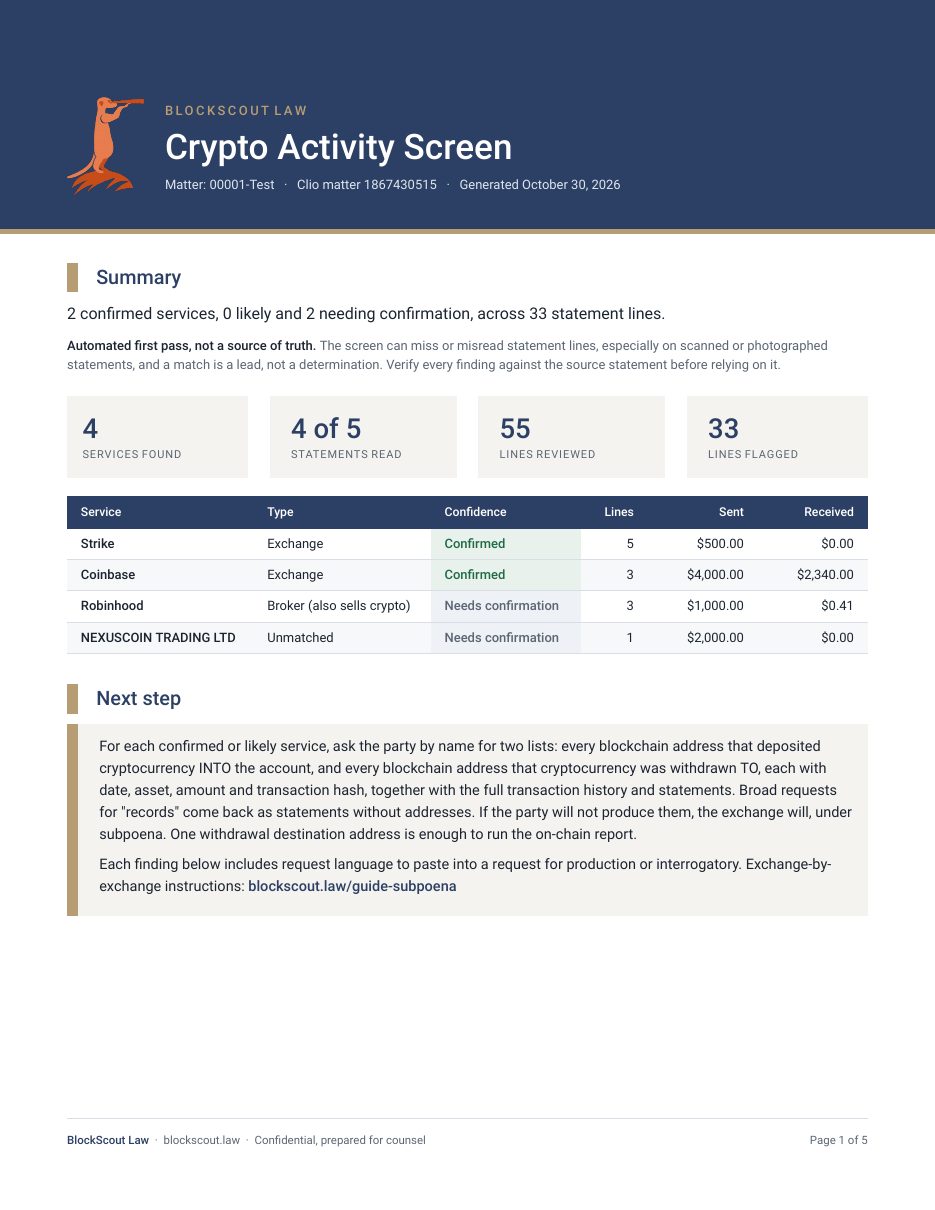
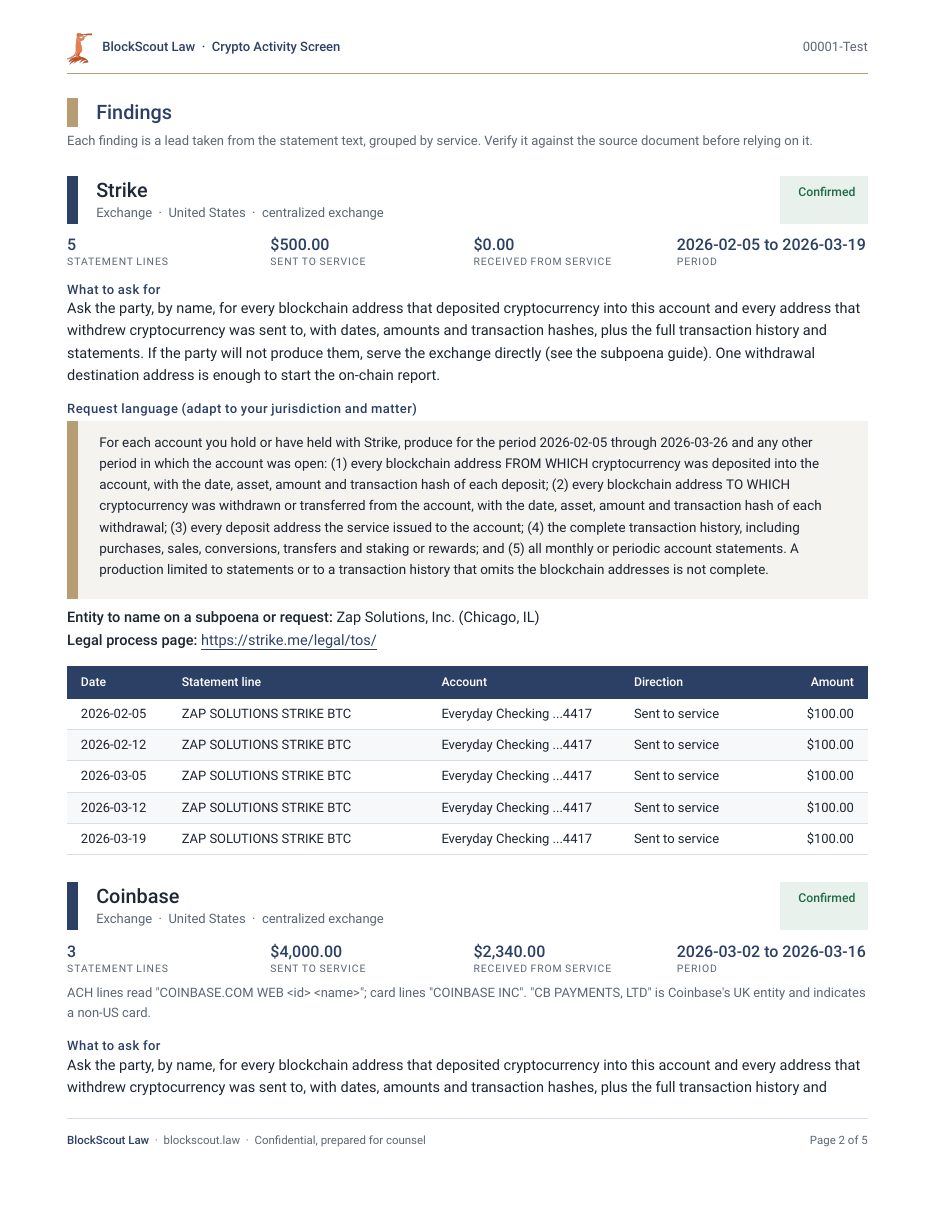
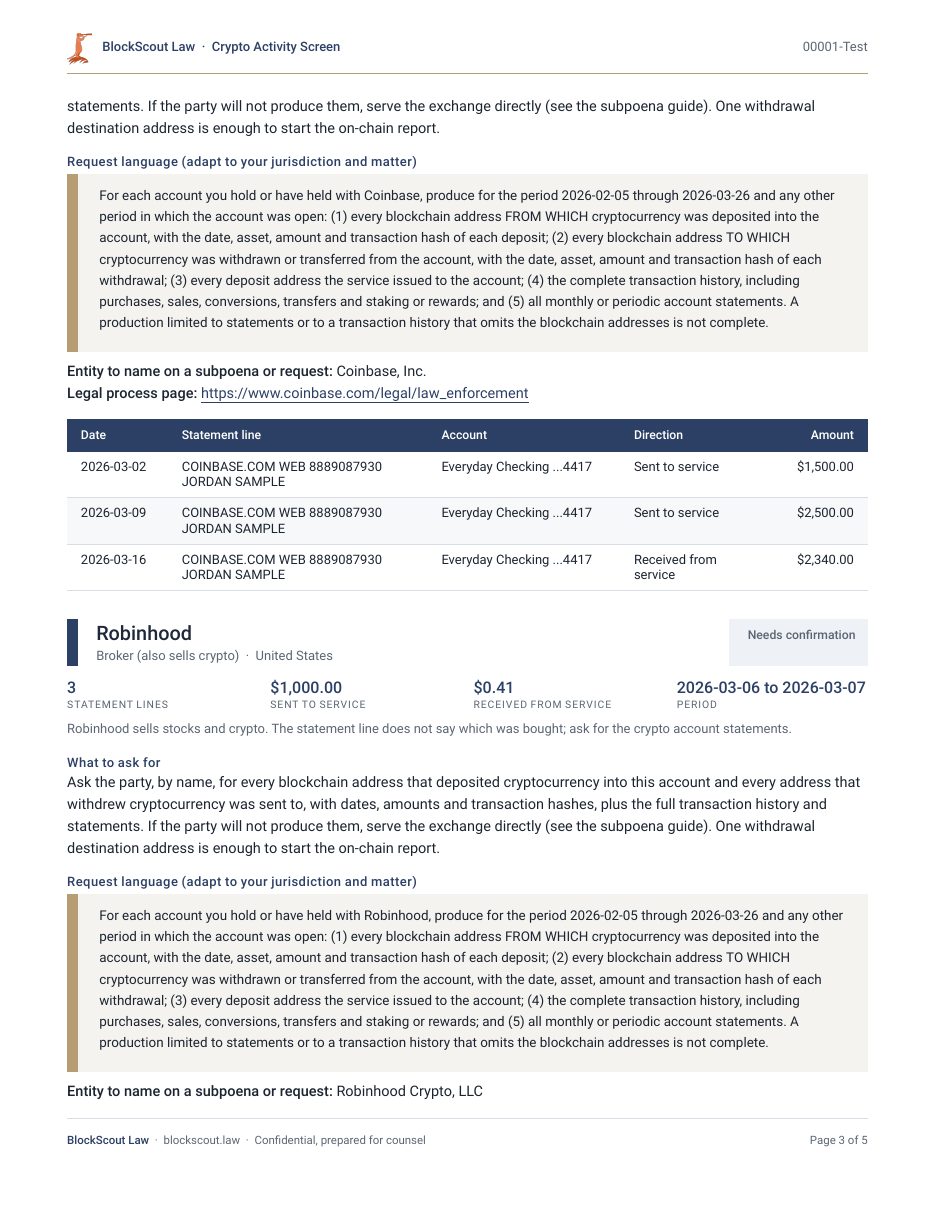
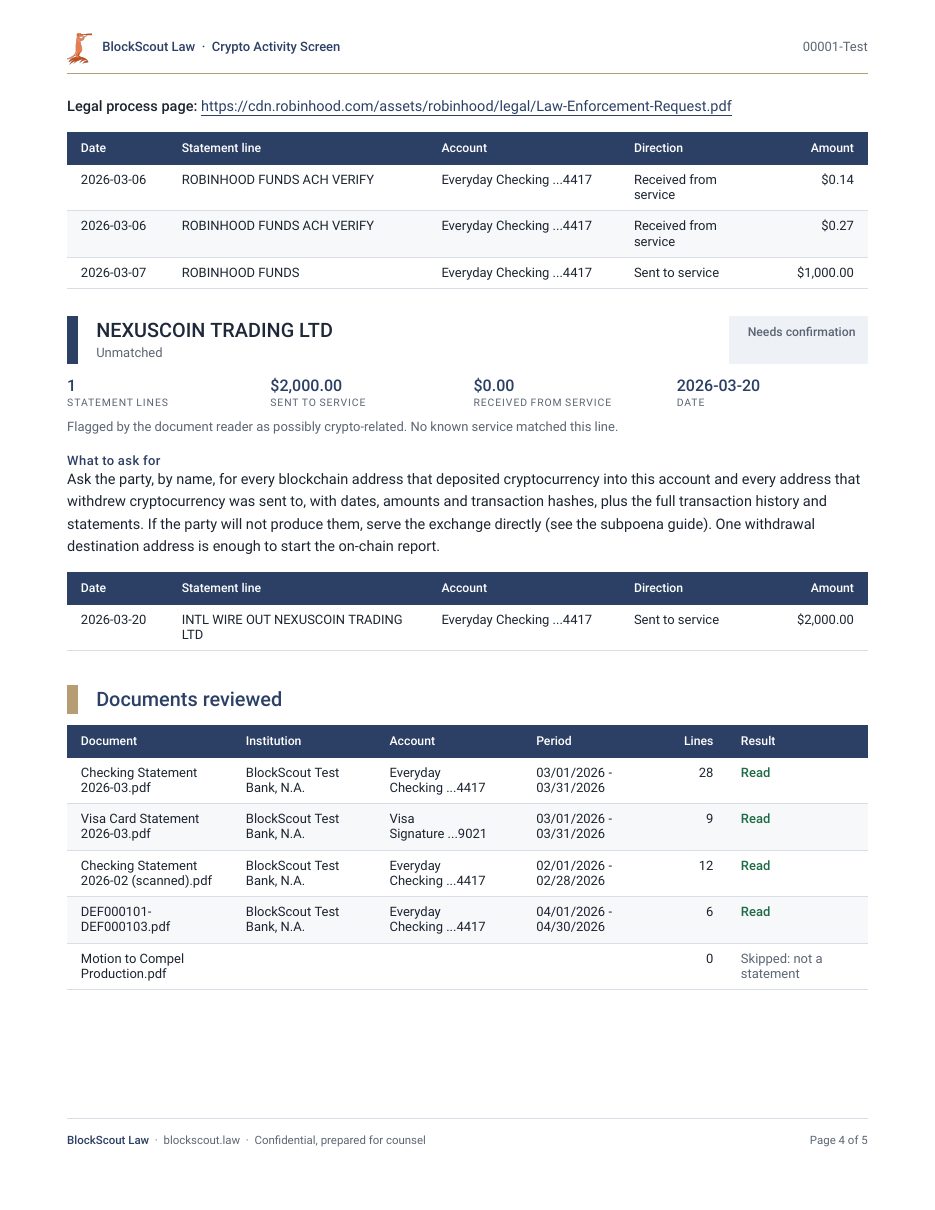
Sample data only. The statements were generated for testing; every account holder, bank and transaction is fictional. Download the sample report (PDF).
You Decide What Is Read
Statements arrive in Clio during discovery alongside everything else in the matter. The screen is built so that you, not the software, decide which of those files an AI model reads.
How the screen handles your documents
- Only the files you tick are opened. The document list is built from names, dates and sizes; no file is read to produce it.
- BlockScout does not store the statements. Each ticked PDF is read in memory to extract its line items and is not kept.
- The findings are deleted 30 days after the screen runs. Attach the report to the matter and Clio holds the record, not us.
- Nothing changes in Clio until you choose to attach the report.
- Your Clio permissions apply. The screen connects with your own Clio login and sees what you can see.
- Either side can use it. The screen reads what was produced; it takes no position on the matter.
A large language model reads the statement text to pull out the line items; the provider does not train on the content, and BlockScout keeps none of it. Pick the documents the way you would for any outside service: the statements the matter needs, consistent with your confidentiality obligations and any protective order. The screen never asks for more than that.
What It Does Not Do
- It is not a source of truth. It can miss a line, misread an amount or match the wrong service. Every finding is a lead to verify against the source statement, and the report says so on its first page.
- It does not read the blockchain or any account. It reads statements. The on-chain report is a separate step that starts from an address.
- It cannot see what never touched a bank. Cryptocurrency received as payment, mined, gifted, bought peer-to-peer for cash, or bought with other cryptocurrency leaves no statement line. Statements set a floor for the inquiry, not a ceiling.
- A payment-app transfer does not say what was bought. Cash App, PayPal, Venmo and Robinhood lines are marked Needs confirmation unless the line itself says crypto.
- Scanned statements carry more risk. Photographed and faxed pages are read, but misreads are more likely; check the amounts.
- Limits. Up to 15 documents per screen, 100 pages and 20 MB per PDF, and 10 screens per 30 days per firm. Clio only for now.
Launching first for Clio firms
Connect Clio, pick the matter, tick the statements. Early access opens first for Clio firms; general release follows.
Request early access